Validator UPDATE version
Run as sol user Sudo password may be required
Update your system installation
sudo apt-get update -y &&
sudo apt-get upgrade -y
Reboot if you need to load a newer kernel.
Choose which release you want to install
Go to the Xandeum Binaries repo and download the tar.bz2 file to your server. This guide is using version v2.2.0-xandeum_ca4fded3 You can right-click on the file name to copy the download link and do the upgrade manually if you want. https://github.com/Xandeum/binaries/releases/latest
Otherwise, set some variables and upgrade using our process below.
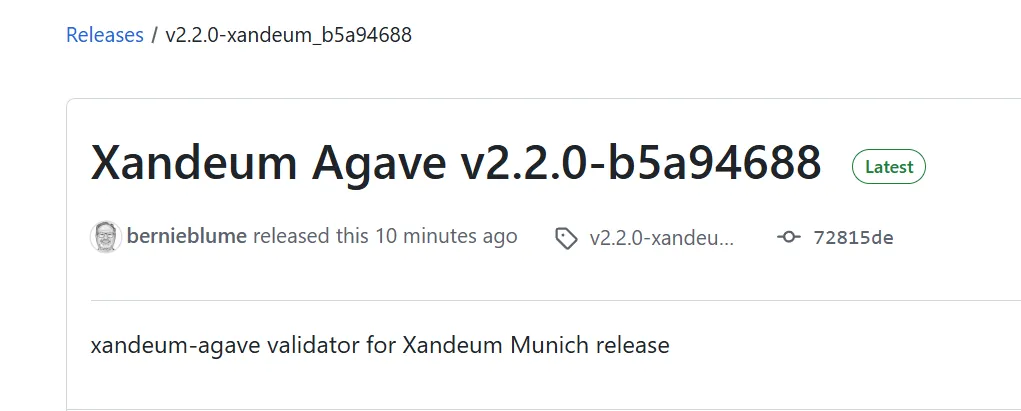
Set the version and filename variables, some versions are listed here:
#latest release 06-18-2025
ver="v2.2.0-xandeum_b5a94688"
file="v2.2.0-xandeum_b5a94688.tar.gz"
echo -e "\n"
echo version=$ver;
echo filename=$file
echo -e "\n"
cd ~
wget https://github.com/Xandeum/binaries/releases/download/$ver/$file
Create the needed bin folder
mkdir ~/.local/share/xandeum/install/releases/$ver -pExtract the file into the new bin dir
cd ~
tar -xf $file --directory ~/.local/share/xandeum/install/releases/$ver
Add a directory for connection info, and empty it if there is old files.
sudo mkdir -p /var/run/xandeum && sudo chown sol:sol /var/run/xandeum && sudo chmod 755 /var/run/xandeum
sudo rm /var/run/xandeum/*
Test a binary by running it in the local folder
cd ~/.local/share/xandeum/install/releases/$ver/binTest a binary by running it in the local folder
./agave-validator -VCheck the version and src match your chosen version from above:

Remove downloaded file if binaries are working
rm ~/$fileSet our symlink to the new version
Set a symlink from our new release to the active_release folder we will use in our $PATH later. (This command removes an old symlink to active_release if it exists)
rm /home/sol/.local/share/xandeum/install/releases/active_release
ln -sf /home/sol/.local/share/xandeum/install/releases/$ver/bin /home/sol/.local/share/xandeum/install/releases/active_release
Check your Install of the software from the home dirctory to prove the symlink worked:
As sol user, time to test if everything worked.
- Check Xandeum Software Version:
- Results should appear simlar to the following (check for correct version and src)
cd ~
agave-validator -V

Restart your validator
If everyting looks good, restart your validator while delinquincy is below 10% and monitor until it is caught back up to the chain.
If you have the system service set to restart=always , then you can use the validator exit command. The validator will restart as soon as it creates a snapshot and stops.
agave-validator --ledger ~/ledger exit --max-delinquent-stake 10 --min-idle-time 0 --monitor
If you have issues, try looking here: