pNode UPDATE version
Connect to your pNode via SSH, forwarding the proper ports into the localhost of the pNode.
If you're using windows, you'll use cmd.exe or power shell , use this format: Be sure to verify the location of your SSH identity file and public IP address.
ssh -i "C:\path to ssh key\id_ed25519.pub" root@<my.p.node.ip> -L 4000:localhost:4000 -L 3000:localhost:3000 -L 8000:localhost:8000 If using Mac terminal or Linux, use this format: Be sure to verify the location of your SSH identity file and public IP address.
ssh -i ~/.ssh/id_ed25519 root@<my.p.node.ip> -L 4000:localhost:4000 -L 3000:localhost:3000 -L 8000:localhost:8000
Run the newest version of the install.sh script, and use Option 2 to Upgrade:
Run as root user use sudo -i to change to root user Sudo password may be required
wget -O install.sh "https://raw.githubusercontent.com/Xandeum/xandminer-installer/refs/heads/master/install.sh" && chmod a+x install.sh && ./install.sh
Go to your local web browser and check your xandminer status in the web GUI
http://localhost:3000/
A completed upgrade will show the correct versions, see screenshot:
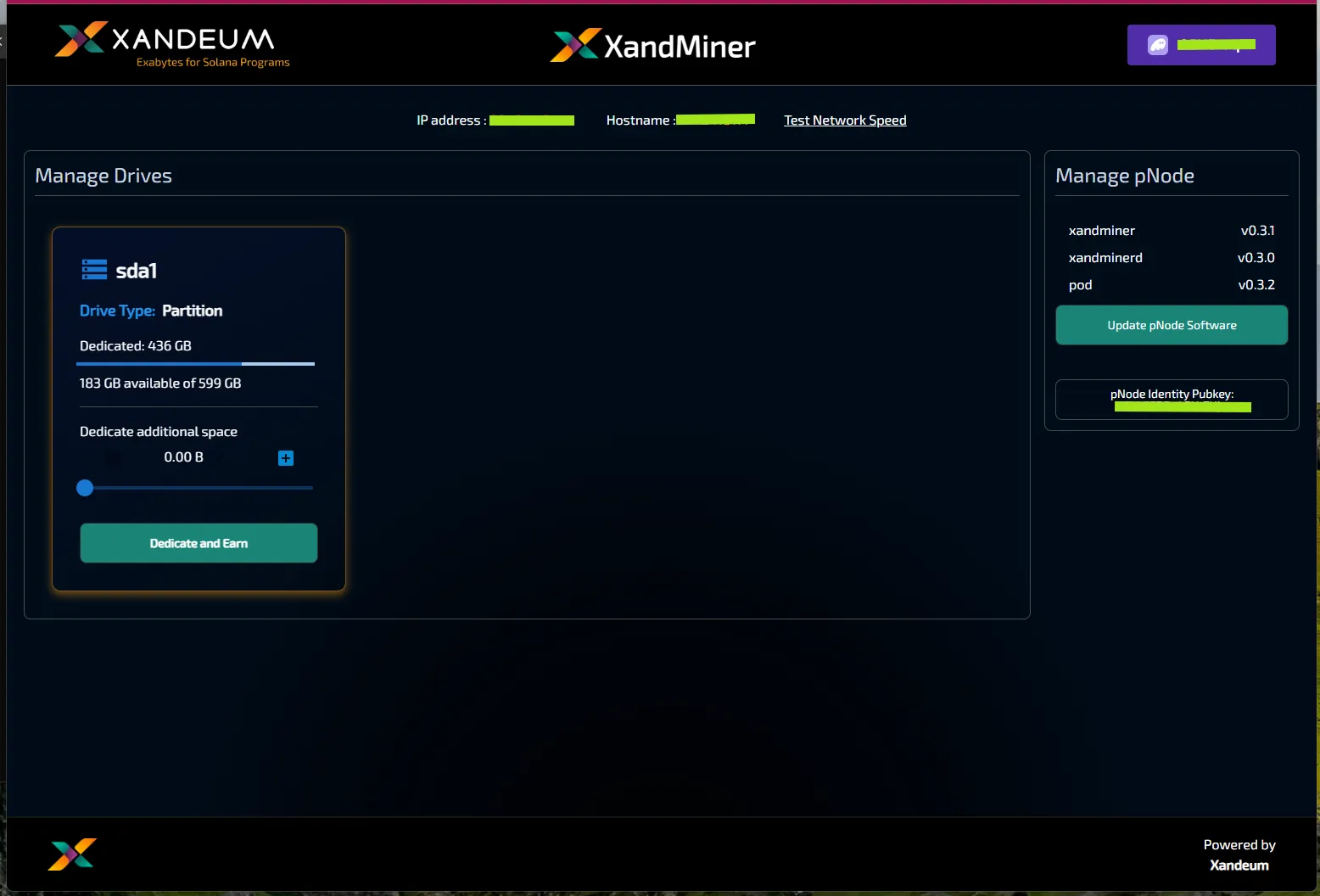
Congratulations, you completed the upgrade!
Check your pNode is accessible on the correct ports here: https://pnodes.xandeum.network/#nYHpd
Don't forget to enable storage by using the "Dedicate and Earn" button!